Less measuring, more judging
Auditor360 scans a website against WCAG 2.2 AA and sorts the results. The auditor decides what counts as a finding.
The platform in view
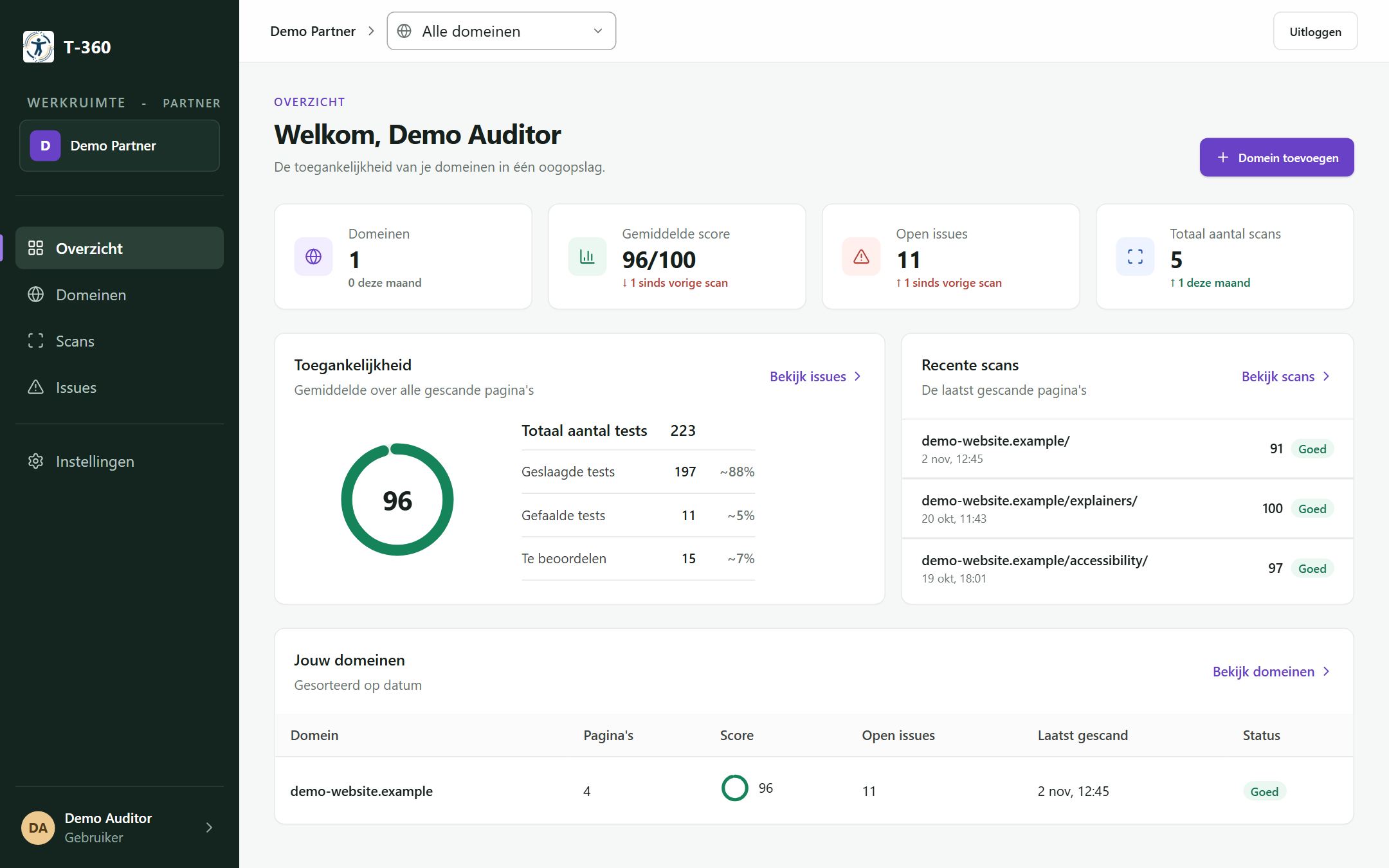
How you work with it
Scan
Add a domain or a page. The axe scan finishes in 15 to 30 seconds.
AI review
Start the AI review for a page. It looks at what axe cannot decide, including the items axe marks as needing review, and runs in the background. Allow 20 to 30 minutes.
Review
Reject a wrong result and give a reason. Mark findings as fixed. Add your own findings, for example on keyboard use or a screen reader, with a photo as evidence.
Report
Download a Word report per domain. Export the findings of a page as JSON.
Rescan
Scan again after the fixes and see in the chart how the page develops.
Three sources in one overview
- Axe
- Automatic checks. They run on every scan.
- AI review
- Judges what axe cannot decide. Runs only when you start it.
- Manual
- Findings you add yourself. They count next to the AI results.
Dutch and English
The platform works in Dutch and English. The texts of the findings follow the language in which the scan was started.
Who it is for
For auditors, agencies and web agencies.
Read who the platform is meant forWhat the platform does not do
- It does not replace the auditor.
- It does not assess PDF documents, video content or screen reader behaviour.
- It does not produce an accessibility statement.
Want to know more?
Get in touch about the platform. The free quickscan gives a first impression of the scan.